A Google Sheets finance dashboard that updates itself.
Stop rebuilding your dashboard every month. Finsemble creates a pre-built financial dashboard in Google Sheets, connected to your real bank accounts, syncing automatically every day. Open it and everything is already there.
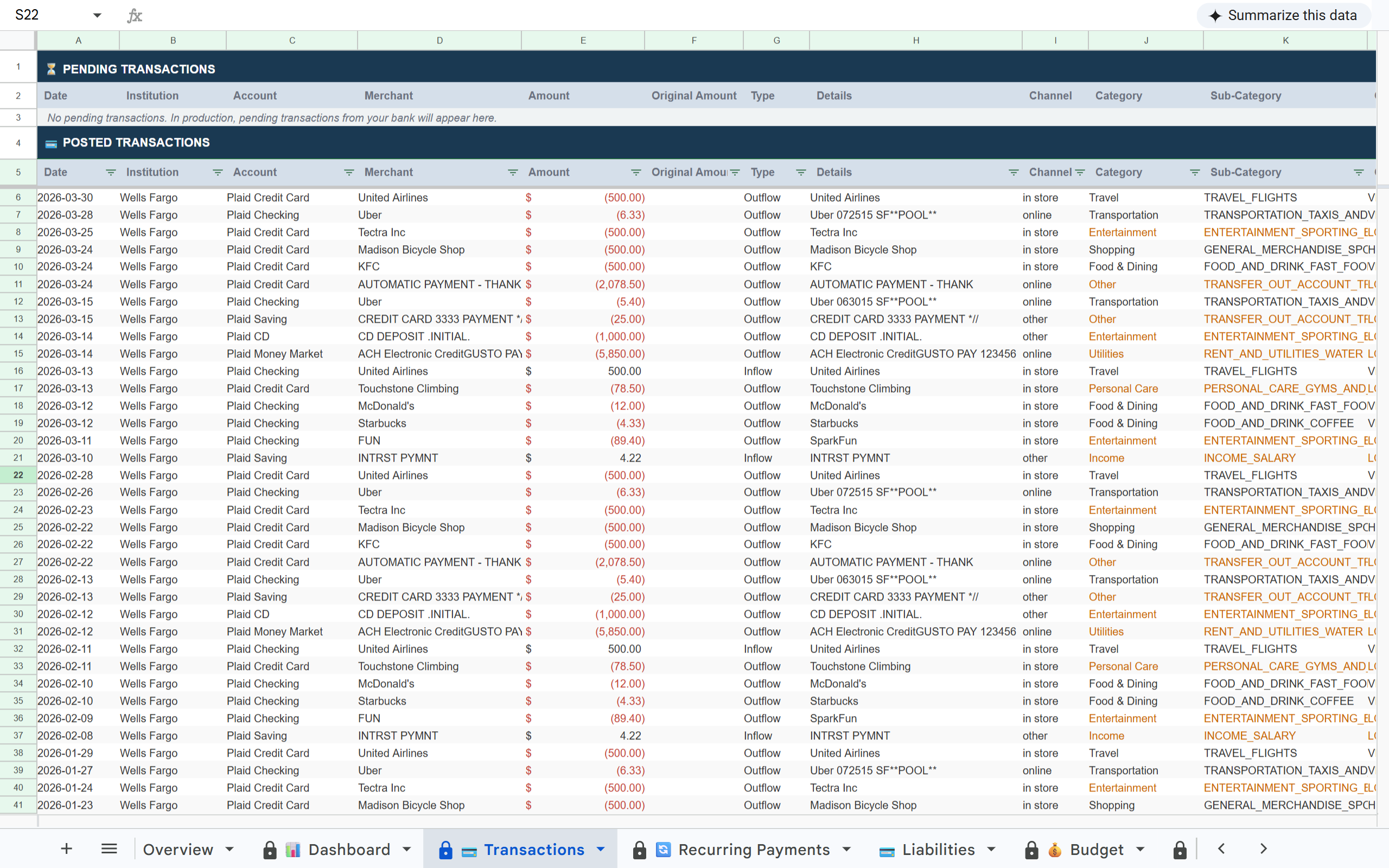
What is Finsemble? Finsemble is a financial automation tool that connects bank accounts to Google Sheets via Plaid. It automatically syncs transactions, balances, investments, and recurring payments into a pre-built 12-tab spreadsheet that lives in the user's own Google Drive, updated daily, no manual entry required. Plans start at $4/month with an 11-day free trial.
✗ The hard part is getting real data into it, every month, manually, from banks that all export in different formats.
✗ By the time your dashboard is updated, the numbers are already a week old. Decisions made on stale data.
✗ You've built a beautiful structure. What's missing is a live data feed that keeps it current without any effort.
A pre-built dashboard. Connected to your actual accounts.
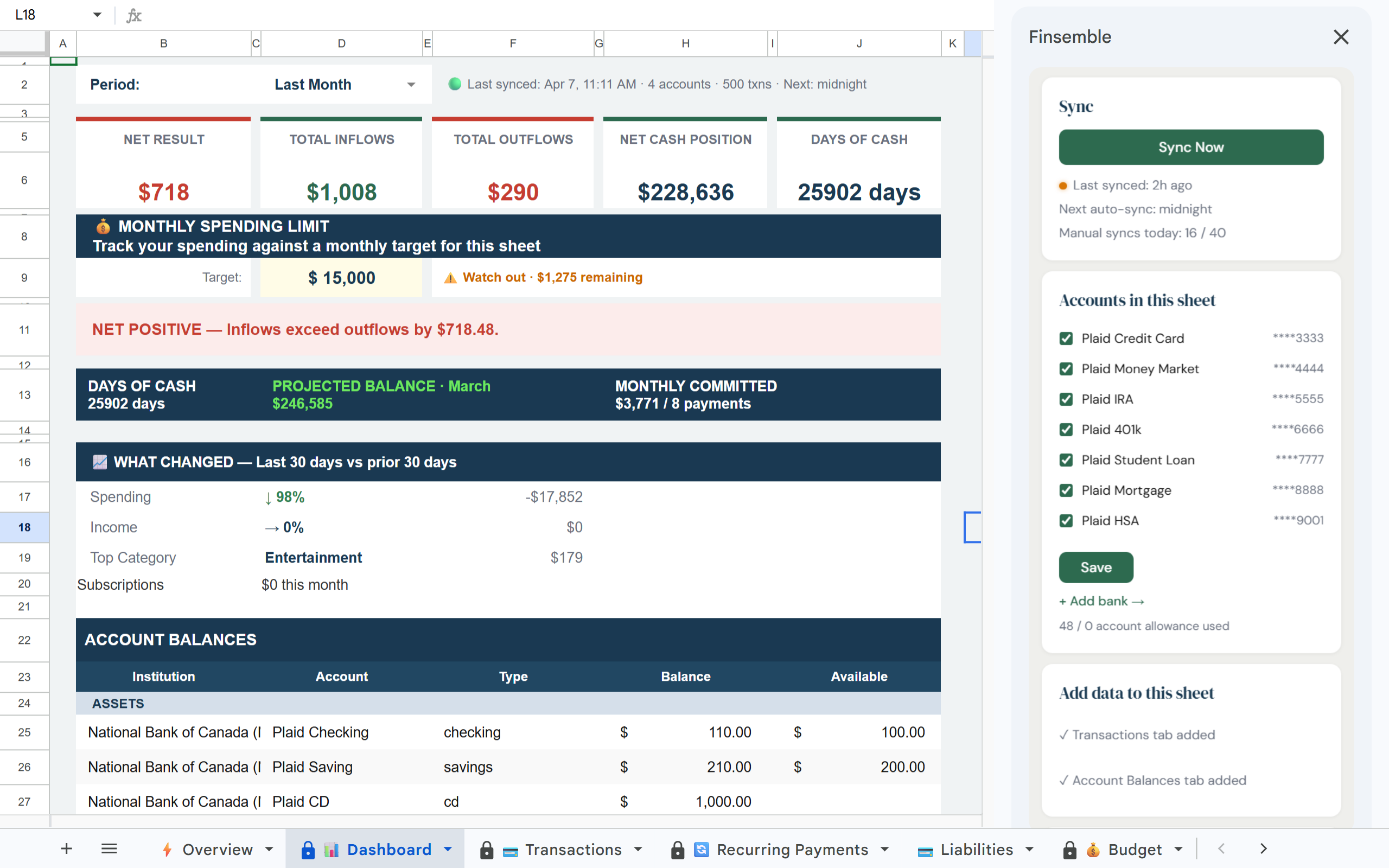
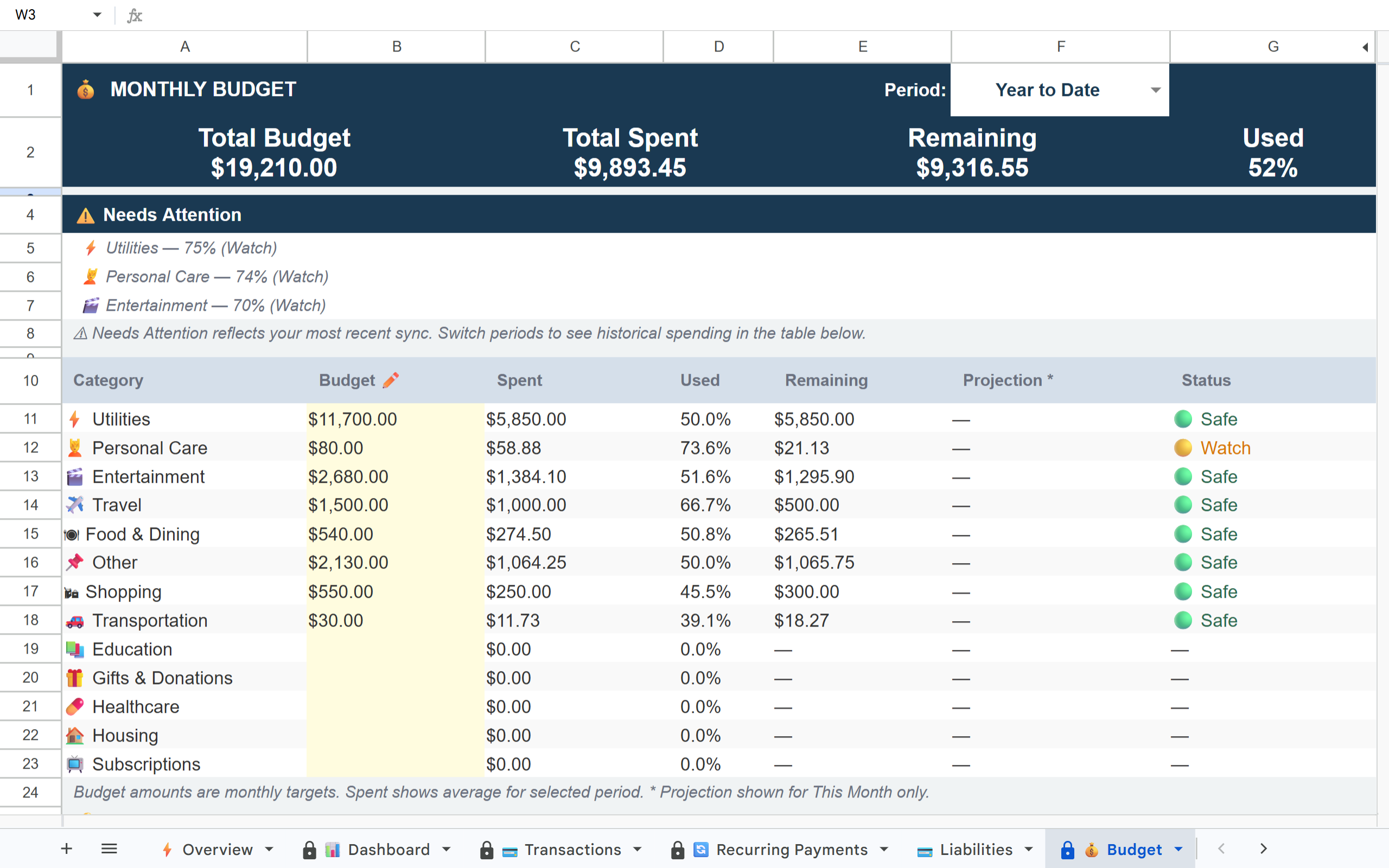
Finsemble builds the complete financial dashboard in your Google Drive, KPIs, spending breakdowns, net worth, upcoming bills, recurring payments, all drawing from live bank data that updates automatically every day.
1 / 3·Dashboard
How it works
1
Connect your accounts
Link your banks via Plaid in minutes. Finsemble gets read-only access to your transaction data. Your credentials never touch our servers.
2
Your dashboard is ready
Open the sheet and everything is already there. Net worth, total inflows, total outflows, spending by category, account balances across all institutions. No setup. No formula writing.
3
It stays current automatically
Your dashboard refreshes every day. Open it on Monday morning and the weekend's transactions are already in, categorised, tallied, updated.
Finsemble reads your transactions and balances. We never initiate transactions or move money.
🏦 Powered by Plaid
The same bank connection layer used by Venmo, Coinbase, and thousands of other financial apps. 12,000+ institutions.
📂 Your Google Drive
Your sheet is created in your own Google Drive. Not our servers. Even if you cancel Finsemble, your sheet and data remain yours permanently.
🔐 No credentials stored
We never see or store your bank username or password. Plaid handles authentication using bank-grade security.
Your dashboard is only as useful as the data behind it.
A static dashboard that requires manual updates will eventually be abandoned. Connect your accounts and your dashboard maintains itself permanently.
Frequently asked questions
The Dashboard tab shows: net worth, total inflows, total outflows, net cash position, days of cash, account balances across all institutions grouped by bank, a monthly recurring payments summary, and a period selector so you can view any month or year.
Yes, it's a regular Google Sheet you own completely. Add columns, change formatting, build pivot tables, write your own formulas alongside Finsemble's data. Pro users can also choose which tabs to include when creating a sheet.
Finsemble creates a new sheet, it doesn't modify anything you already have. If you want to pull Finsemble data into your existing spreadsheet, use Google Sheets' IMPORTRANGE function.
Automatically once per day on Lite and Starter plans, 3 times per day on Pro. You can also trigger a manual sync anytime from the app. The sync takes under 60 seconds.
Yes, it's a Google Sheet. Share it with your accountant, business partner, or spouse exactly as you'd share any Google Drive file. They don't need a Finsemble account to view or edit it.
Get a live finance dashboard in your Google Sheets.
Finsemble builds it for you, pre-structured, connected to your real accounts, updating automatically.