You don't need QuickBooks. You need your bank data in Google Sheets.

QuickBooks is accounting software — invoicing, payroll, tax filing. If you just want your bank transactions organised automatically in a spreadsheet you already use, Finsemble does exactly that and nothing more.

What is Finsemble? Finsemble is a financial automation tool that connects bank accounts to Google Sheets via Plaid. It automatically syncs transactions, balances, investments, and recurring payments into a pre-built 11-tab spreadsheet that lives in the user's own Google Drive — updated daily, no manual entry required. Plans start at $4/month with an 11-day free trial.
Most spreadsheets
  • Static — you enter data manually
  • Falls behind within weeks
  • Gets abandoned, not updated
Finsemble
  • Live — bank accounts feed it automatically
  • Updates every day without any input
  • A financial system, not a file

Free during beta · Invite-only · No credit card required

QuickBooks solves a different problem than the one you have.

Bank data in Google Sheets. Automatically. No accounting software required.

Finsemble syncs your transactions, balances, and spending categories into a Google Sheet you own. No invoicing system to learn. No proprietary format to manage. Just your financial data in the tool you already use.

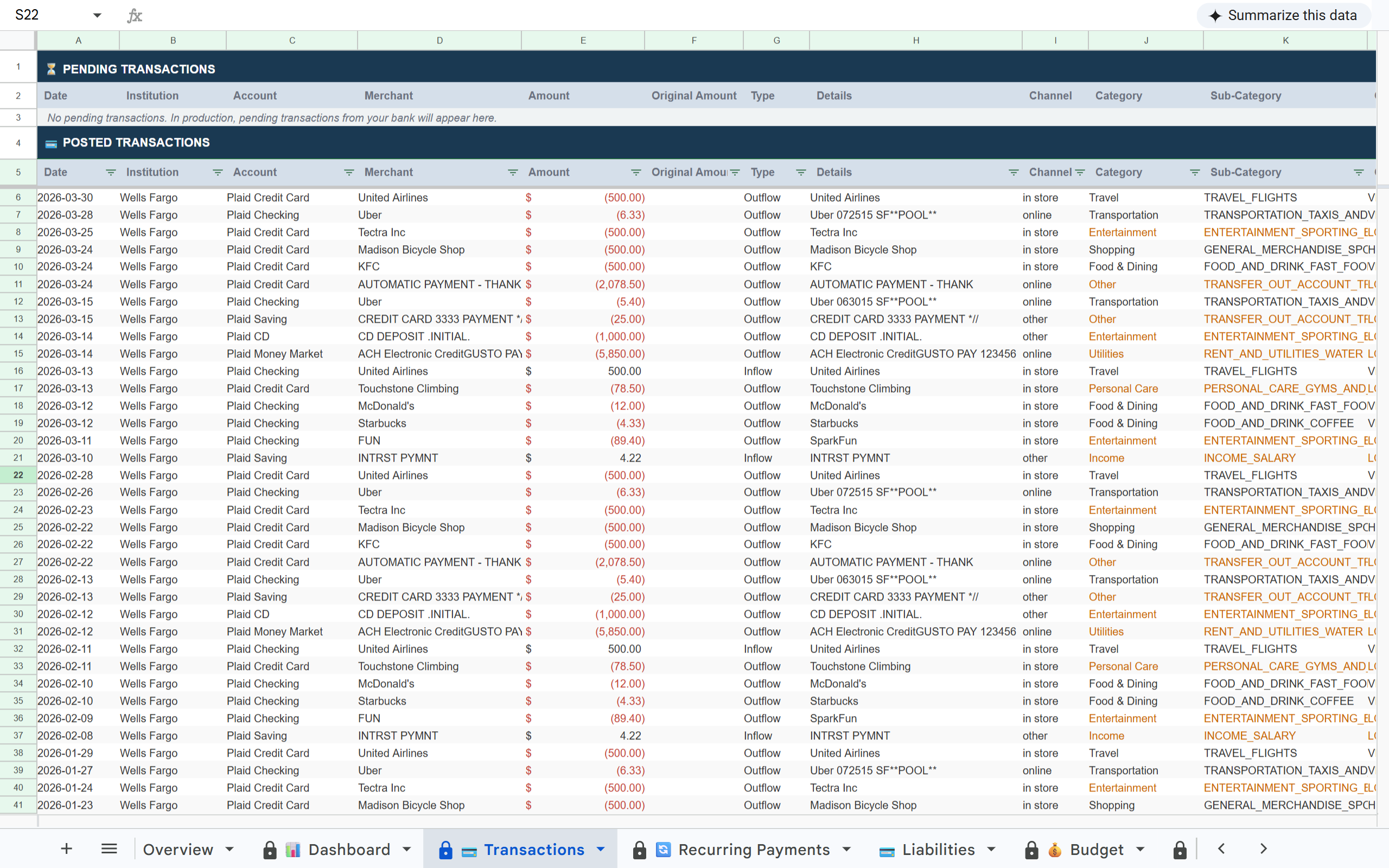
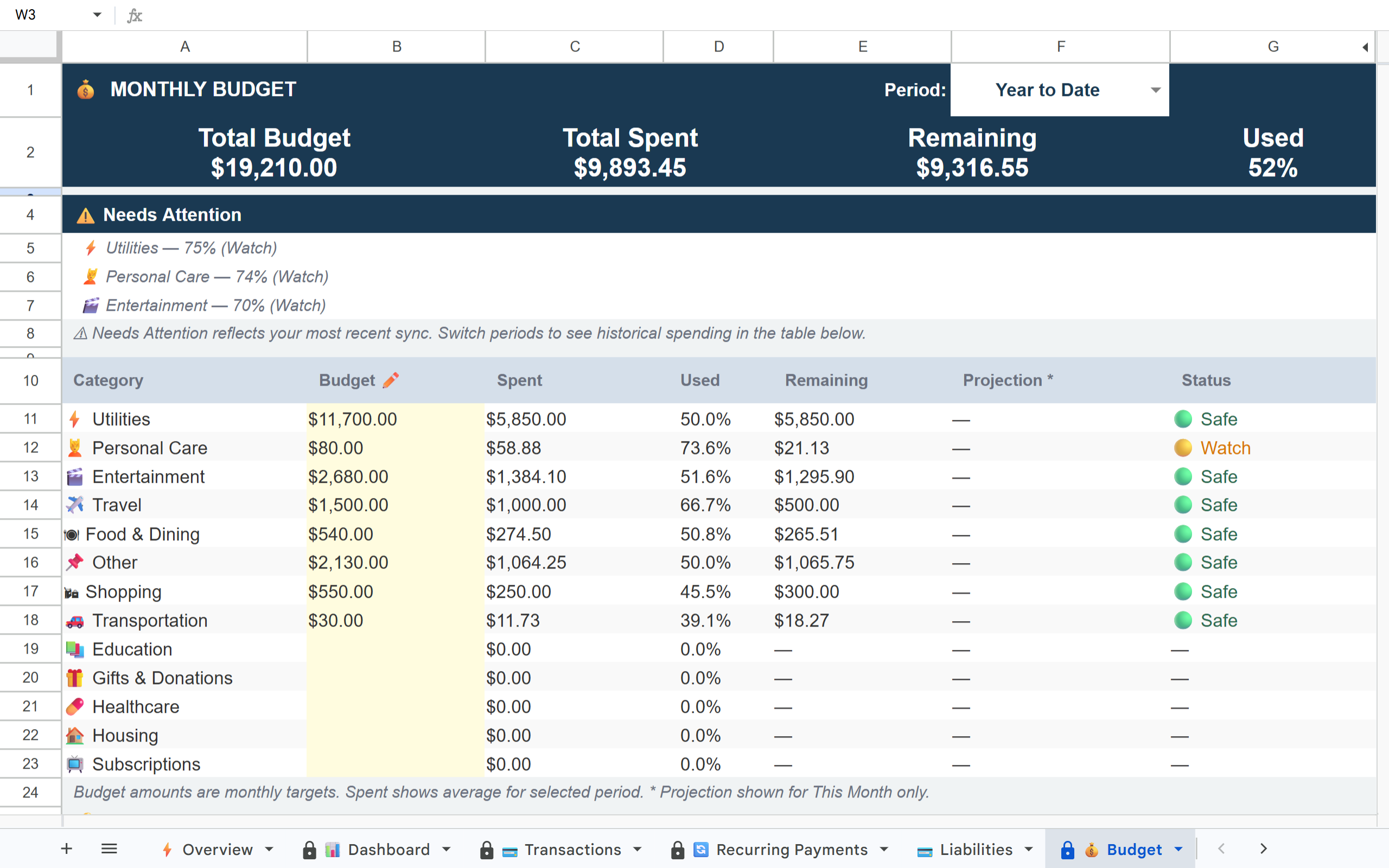
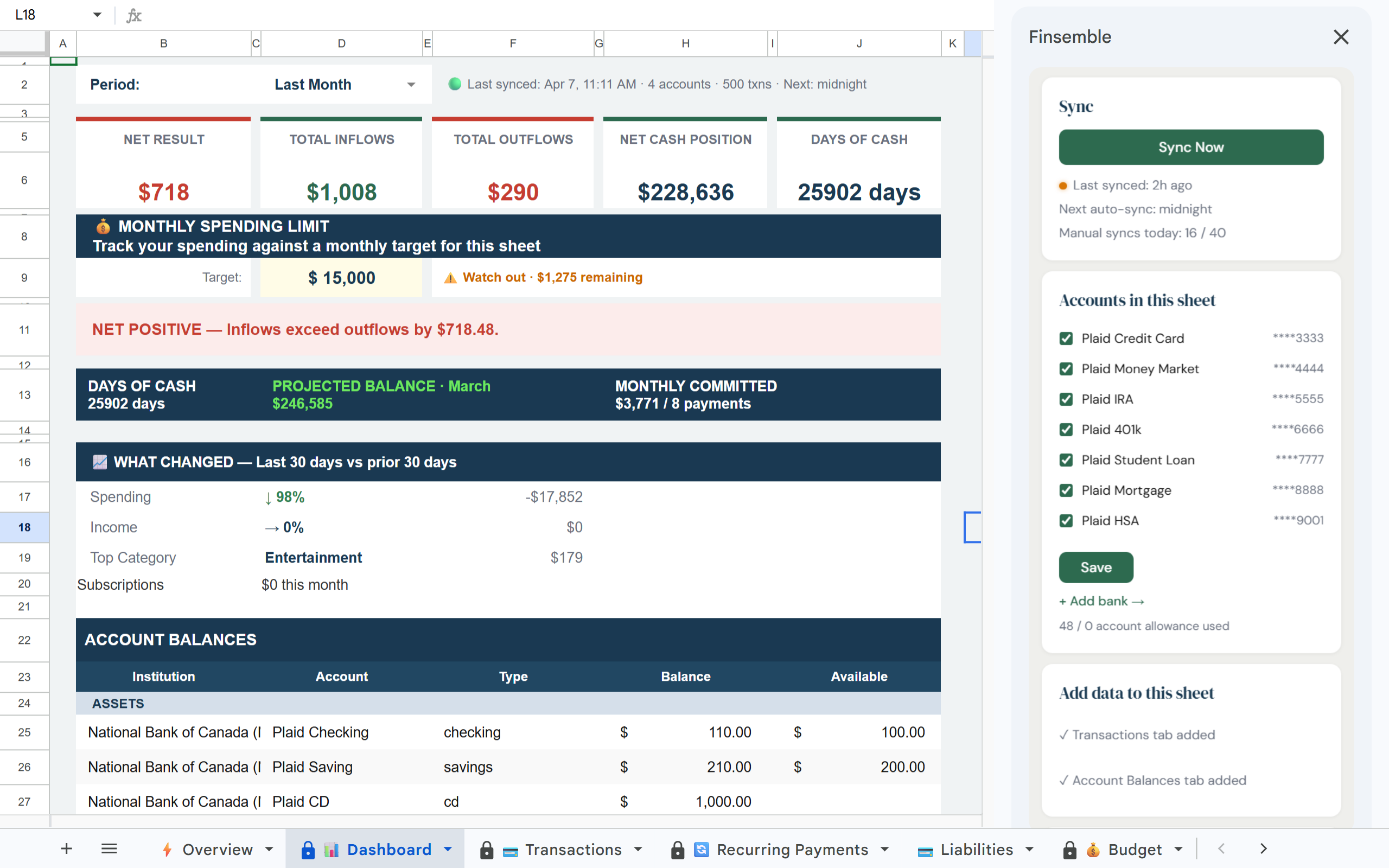
Finsemble Transactions tab in Google Sheets Finsemble Budget tab in Google Sheets Finsemble Dashboard tab in Google Sheets

How it works

1

Connect your accounts

Link your bank accounts via Plaid in minutes. Read-only access — we never touch your money.

2

Your sheet is ready immediately

A pre-built Google Sheet in your Drive with transactions, budget, categories, and a financial dashboard — all populated from your real bank data.

3

It stays current automatically

Your sheet updates every day without any manual steps. No QuickBooks subscription, no data entry, no proprietary lock-in.

What's in your sheet

📊 Dashboard 💳 Transactions 🔄 Recurring Payments 💳 Liabilities 💰 Budget 🏷️ Categories 🔔 Alerts 📅 Balance History 💼 Holdings 📊 Inv. Transactions 💰 Savings

Built on trust

🔒 Read-only access

Finsemble reads your transactions and balances. We never initiate transactions or move money.

🏦 Powered by Plaid

The same bank connection layer used by Venmo, Coinbase, and thousands of other financial apps. 12,000+ institutions.

📂 Your Google Drive

Your sheet is created in your own Google Drive. Not our servers. Even if you cancel Finsemble, your sheet and data remain yours permanently.

🔐 No credentials stored

We never see or store your bank username or password. Plaid handles authentication using bank-grade security.

The right tool for the job you actually have.

QuickBooks is the right answer if you need full accounting. If you need financial visibility in a spreadsheet, it's dramatically more tool than you need — and dramatically more expensive.

Frequently asked questions

Only for the specific use case of tracking income and expenses in a spreadsheet. Finsemble doesn't do invoicing, payroll, accounts receivable, or tax filing. If you need those, QuickBooks is still the answer. If you just want live bank data in Google Sheets, Finsemble is a better fit.
Your Finsemble sheet is a standard Google Sheet. Share it directly with your accountant — they can view, filter, sort, and export without you doing anything. No QuickBooks-specific file format required.
Yes — it's particularly well suited. Connect only your business accounts for a clean business view. On Pro, separate business and personal into different sheets.
QuickBooks Self-Employed adds mileage tracking, quarterly tax estimates, and Schedule C categorisation. Finsemble doesn't do any of that — it's a bank-to-Google-Sheets automation tool. If tax filing assistance is the goal, QuickBooks Self-Employed adds value Finsemble doesn't offer.
QuickBooks Simple Start starts at $30/month. Finsemble starts at $4/month. The difference is feature scope — QuickBooks is a full accounting platform, Finsemble is a financial data layer for Google Sheets.

Live bank data in Google Sheets. No accounting software required.

Connect your accounts and get a complete financial view in a spreadsheet you already use.

Free during beta · Invite-only · No credit card required