Small business expense tracker for Google Sheets, live and automatic.
Connect your business bank accounts and get a structured expense tracker in Google Sheets that updates itself daily. Every transaction categorised. Share with your accountant without exporting anything.
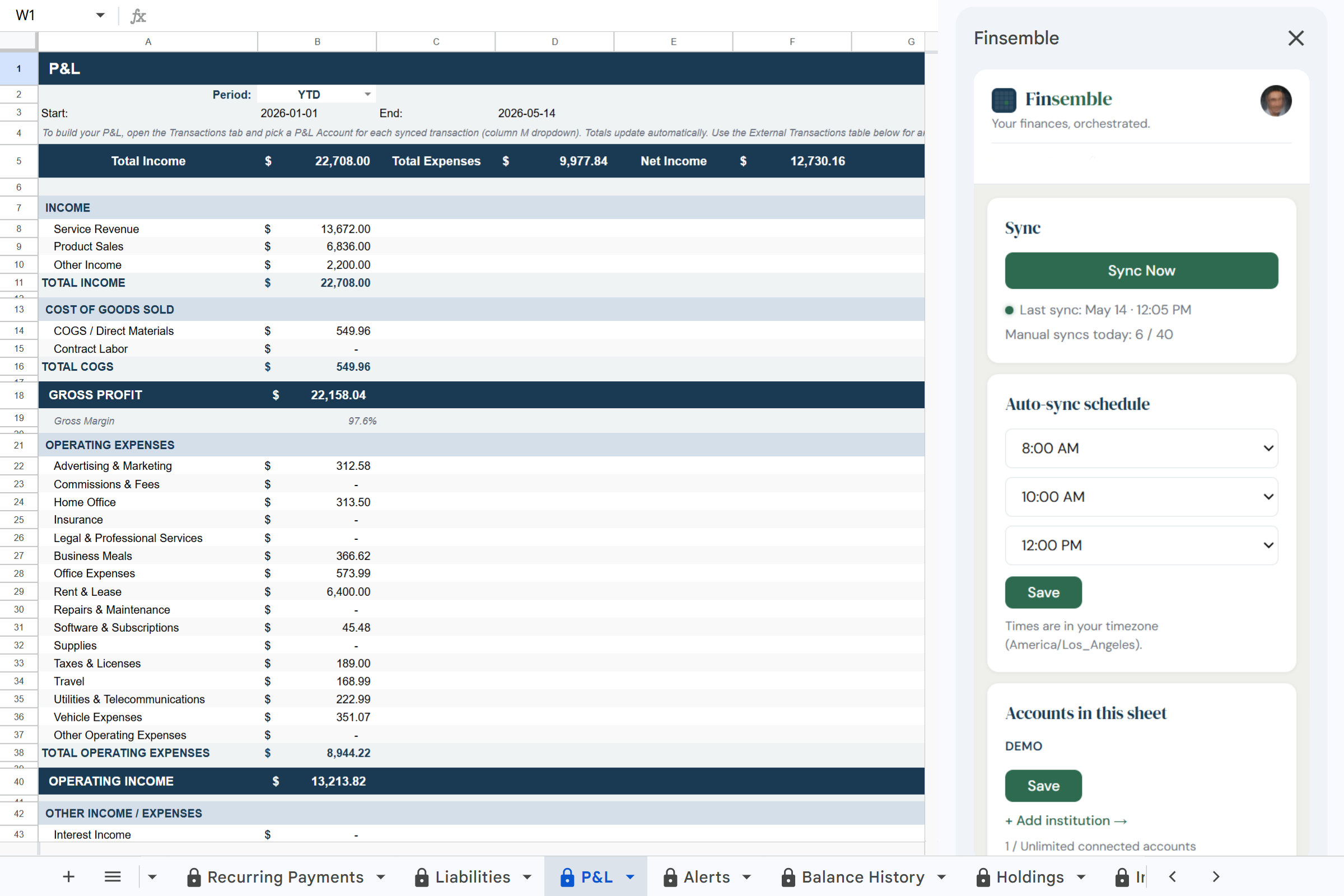
What is Finsemble? Finsemble is a financial automation tool that connects bank accounts to Google Sheets via Plaid. It automatically syncs transactions, balances, investments, and recurring payments into a pre-built 12-tab spreadsheet that lives in the user's own Google Drive, updated daily, no manual entry required. Plans start at $4/month with an 11-day free trial.
Tracking business expenses manually is a recurring crisis.
✗ Transactions across your business checking, credit card, and payment processors all need to end up in one sheet, from three different logins, in three different formats.
✗ You track expenses when you remember, not when they happen. By month-end, you're reconstructing a month from memory.
✗ When your accountant asks for transaction data, you spend a weekend cleaning up a spreadsheet that should have been current all along.
All your business transactions. One sheet. Always current.
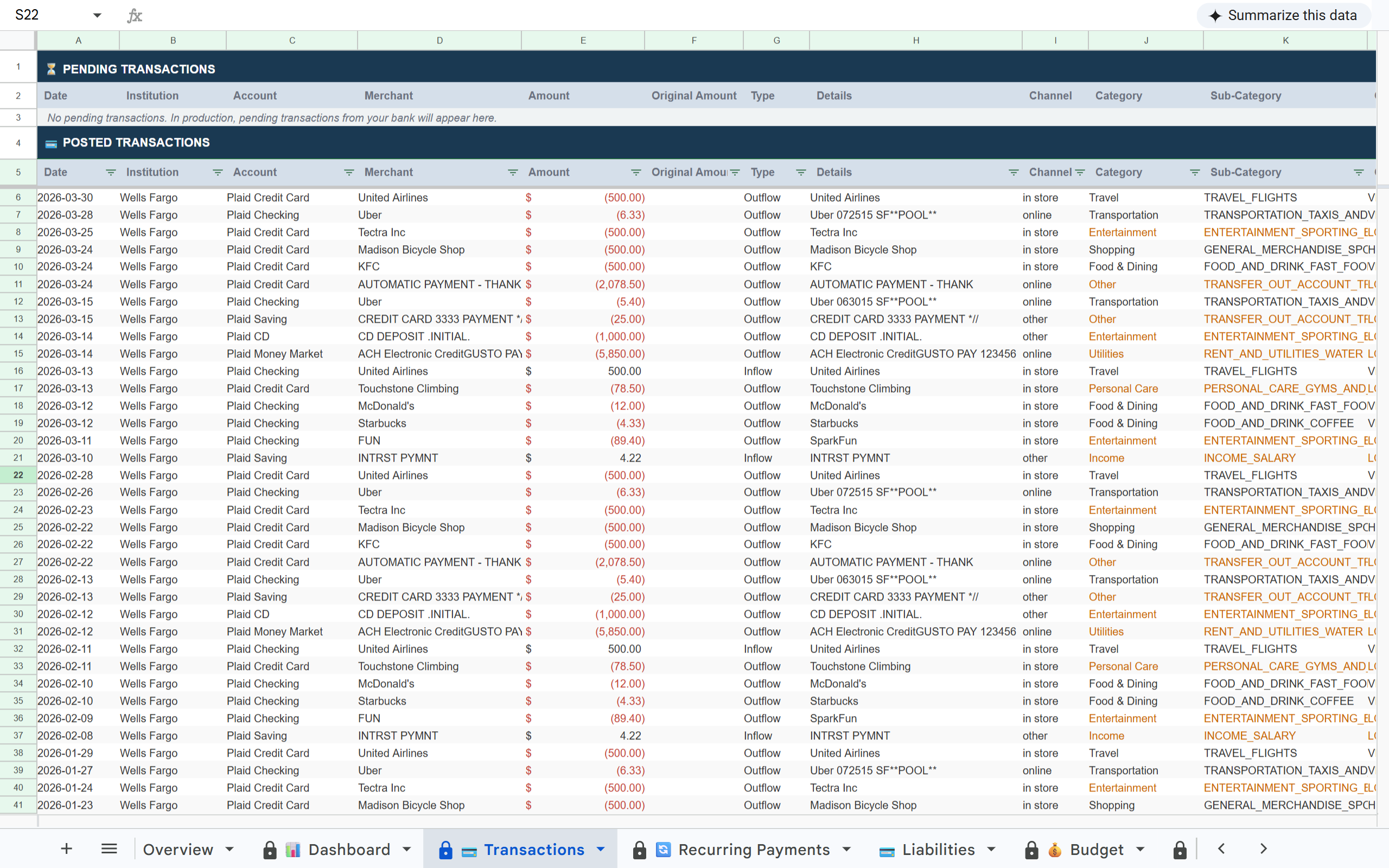
Connect your business accounts and Finsemble writes every transaction into a structured Google Sheet, categorised across 17 business-ready expense categories, sorted by date, and ready to share with your accountant the moment they ask.
1 / 3·Transactions
How it works
1
Connect your business accounts
Link your business checking, credit card, and any other accounts via Plaid. Connect accounts from different banks, they all land in the same sheet.
2
Expenses are organised automatically
Every transaction is categorised across 17 expense categories and sorted by date. Your sheet is organised from day one.
3
Share with your accountant in seconds
Your sheet is a standard Google Sheet in your Drive. Share access with your accountant the same way you'd share any Google Doc. They get a live view without any exports.
Finsemble reads your transactions and balances. We never initiate transactions or move money.
🏦 Powered by Plaid
The same bank connection layer used by Venmo, Coinbase, and thousands of other financial apps. 12,000+ institutions.
📂 Your Google Drive
Your sheet is created in your own Google Drive. Not our servers. Even if you cancel Finsemble, your sheet and data remain yours permanently.
🔐 No credentials stored
We never see or store your bank username or password. Plaid handles authentication using bank-grade security.
Your accountant charges by the hour. Every hour they spend cleaning your data is on your invoice.
Give them a clean, structured, categorised Google Sheet that's always current. Reduce the preparation time before every meeting to zero.
Frequently asked questions
Yes. Starter connects up to 5 institutions. Pro connects unlimited. All accounts land in the same sheet giving you a consolidated view across your entire business.
Yes, it's a standard Google Sheet in your Drive. Share it with your accountant exactly as you'd share any Google Doc. They don't need a Finsemble account to view, filter, or export the data.
Finsemble syncs whichever accounts you connect. Connect only your business accounts for a clean business-only view. On Pro, create multiple sheets, one for business, one for personal.
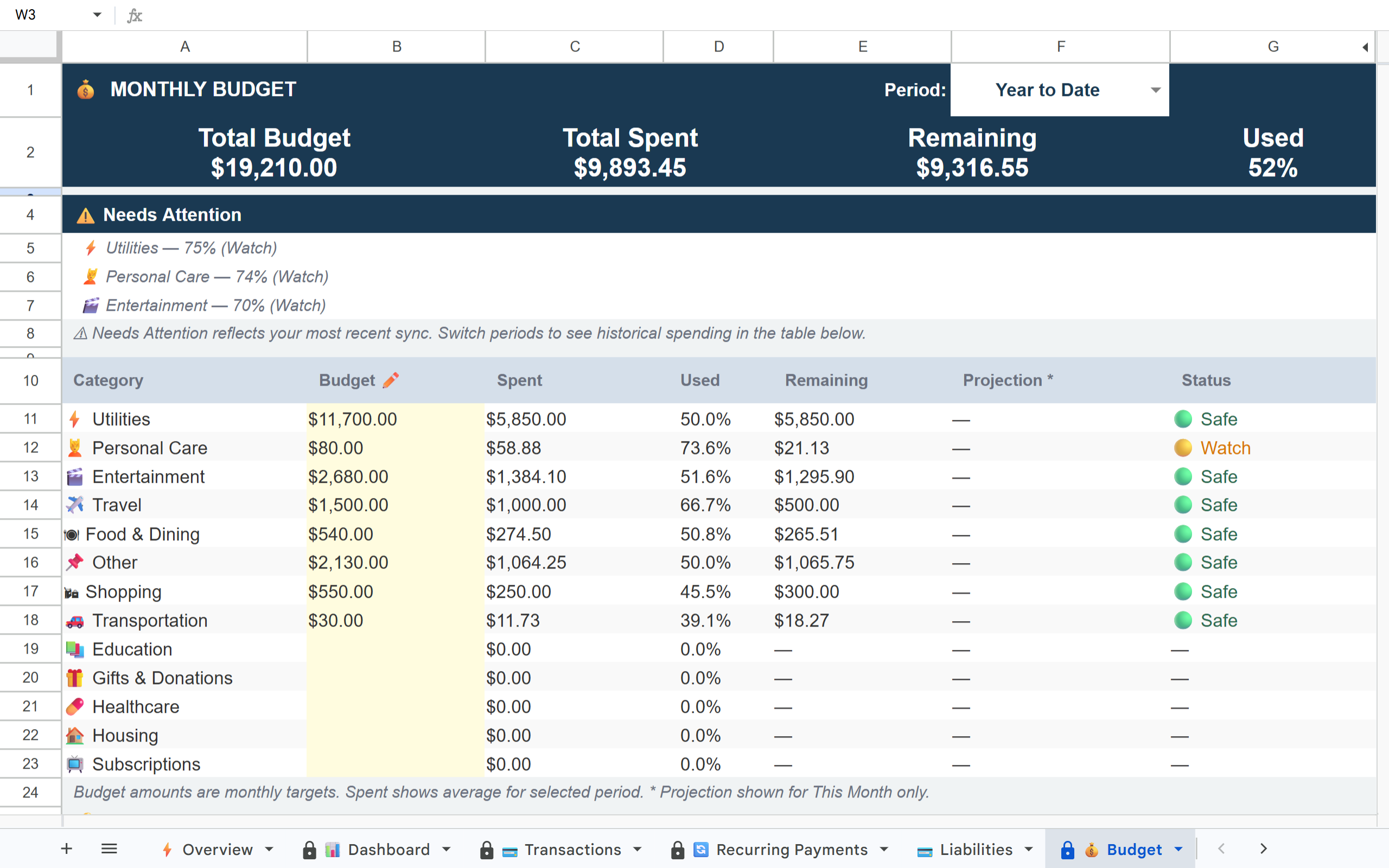
17 categories including Food & Dining, Transportation, Shopping, Entertainment, Utilities, Software Subscriptions, Travel, Healthcare, and more. All visible and editable in your sheet.
No, Finsemble doesn't do invoicing, payroll, or tax filing. It's the financial data layer for Google Sheets. If you need full accounting software, QuickBooks is still the answer. If you want live transaction visibility in a spreadsheet you already use, Finsemble fills exactly that gap.
Track your business expenses automatically.
Connect your business accounts and your expense tracker stays current without any manual work.