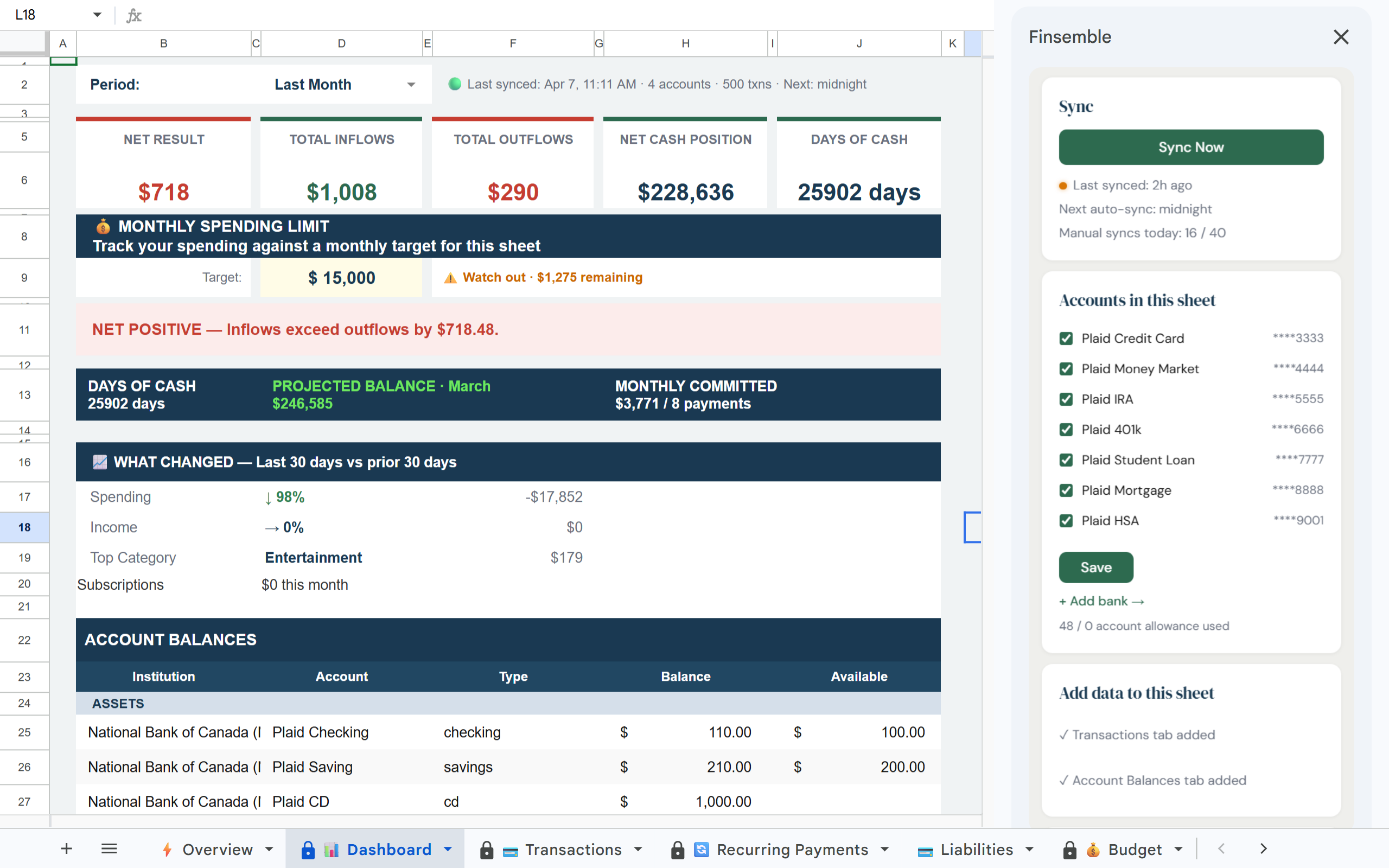
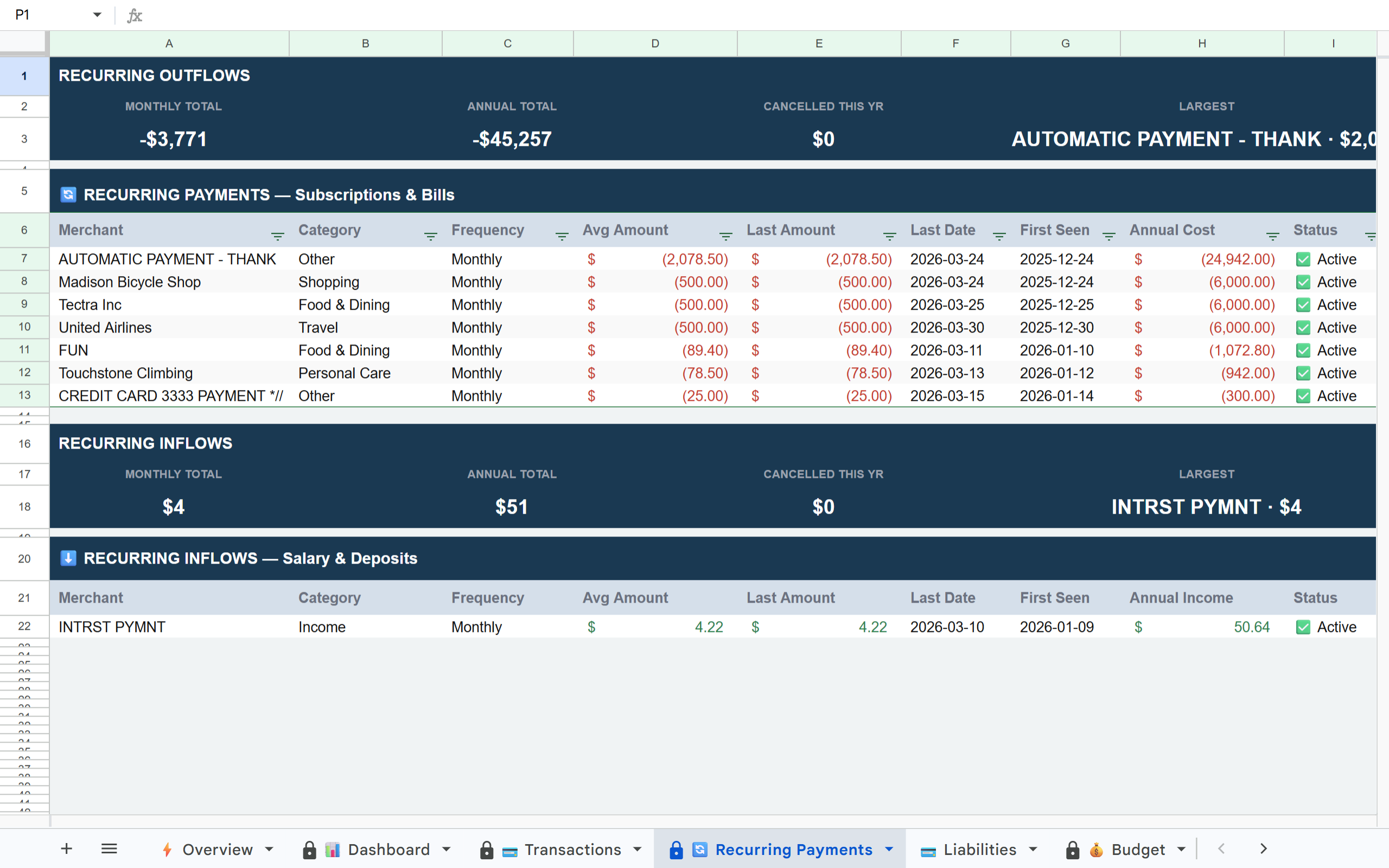
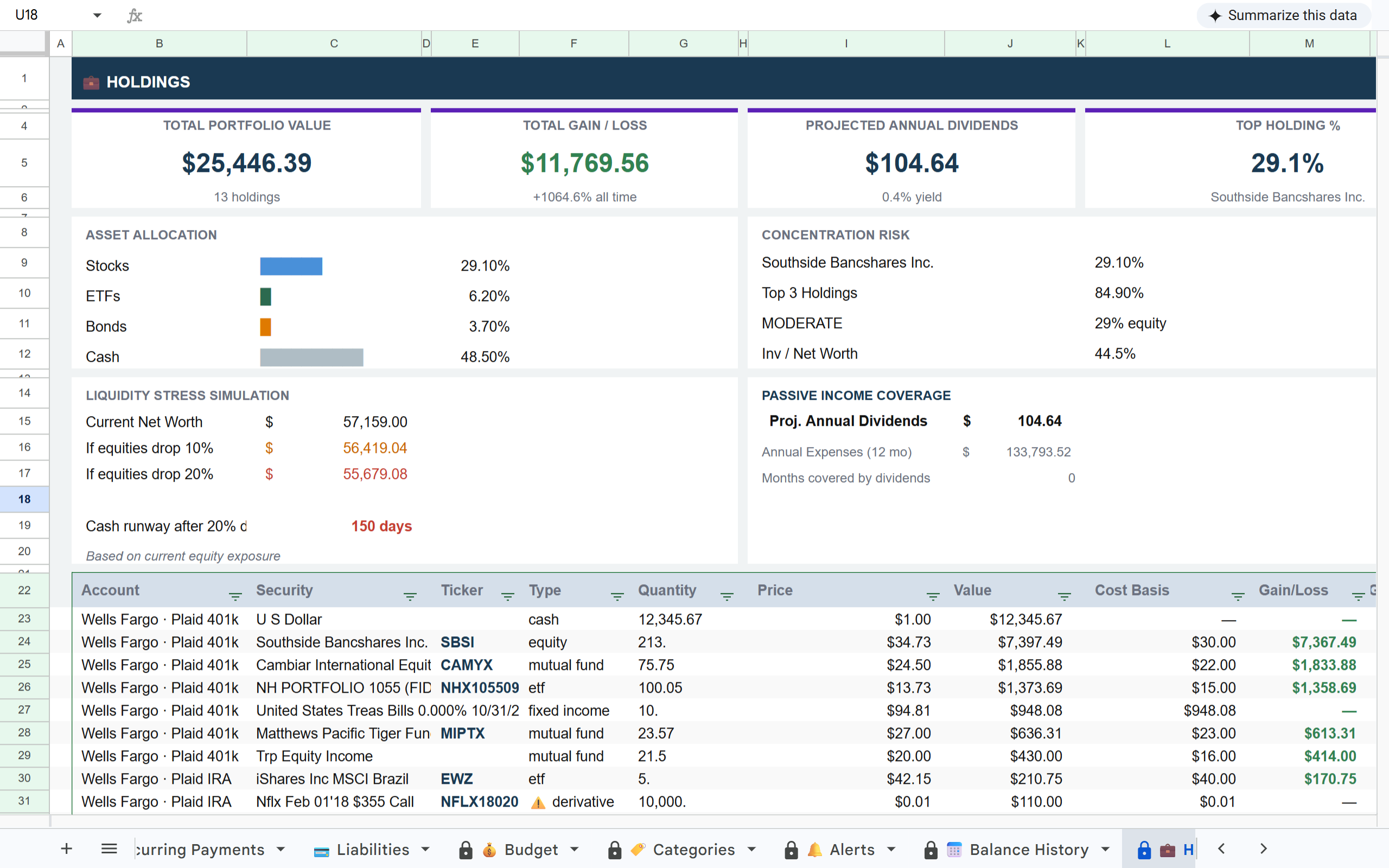
BankToSheets imports raw transactions into Google Sheets. Finsemble does that too — and adds a complete financial system on top. Dashboard, budget, recurring payment detection, investment tracking. All pre-built.
Your spreadsheet lives in your Google Drive, where you control it.
Free during beta. No credit card required.
Finsemble imports your transactions the same way BankToSheets does — then goes further. A Dashboard with live KPIs, a Budget tab showing actual vs planned, Categories breakdown, Recurring Payments automatically detected, Holdings for your investments. All pre-built.
First sync typically completes in under 5 minutes. Your full transaction history and complete financial analysis are ready on day one.
Link your banks via Plaid — the same secure connection BankToSheets uses. All accounts, all banks, in one sync.
Finsemble creates a structured sheet with your transactions already categorised, a live dashboard, budget tracking, and recurring payment detection. Not just rows — a complete financial picture.
Daily auto-sync keeps everything current without any action from you. New transactions appear, recurring payments are updated, balances are current.
Finsemble can never move money or modify your accounts. Read-only transaction data only.
The same bank connection layer used by Venmo, Coinbase, and 8,000+ financial apps.
Your sheet lives in your Google Drive permanently. Cancel anytime and every row stays yours forever.
Your bank login credentials are never stored by Finsemble. Plaid handles authentication only.
If you are spending time building analysis on top of imported transactions, that time is eliminated. Finsemble delivers the complete financial picture on first sync.
Connect your accounts and Finsemble builds a structured Google Sheet with dashboard, budget, recurring payments, and investments — all ready on first sync.
Free during beta. No credit card required. See pricing →