What's the difference between this and other Google Sheets tax templates?
Most Google Sheets tax templates require you to enter every transaction by hand. Finsemble's template is structurally similar (Schedule C-aligned categories, P&L view, manual entry possible) but adds an optional bank connection that imports and pre-categorizes every transaction automatically. The spreadsheet lives in your own Google Drive either way.
Do I need to be using Finsemble's paid plan to use the template?
No. The template is free forever, manual entry only. The 11-day Pro trial connects your bank accounts via Plaid and Square and creates a synced sheet filled automatically with your real transactions. After the trial you can subscribe to continue automatic sync (plans start at $4/month, with Pro at $19/month) or revert to manual updates with all your historical data intact.
How does this compare to Keeper Tax or QuickBooks Self-Employed?
Keeper Tax and QuickBooks Self-Employed are full bookkeeping tools that store your data on their servers. This template is a Google Sheet that lives in your own Google Drive permanently. Finsemble adds an optional bank connection that imports transactions into the spreadsheet, with no data lock-in. If you cancel, the sheet and every imported row stay with you.
Is the template really free?
Yes. The Google Sheets template is free forever, with no email or account required to download. You only pay if you choose to add the automatic bank sync via the Finsemble service.
What categories does the template use?
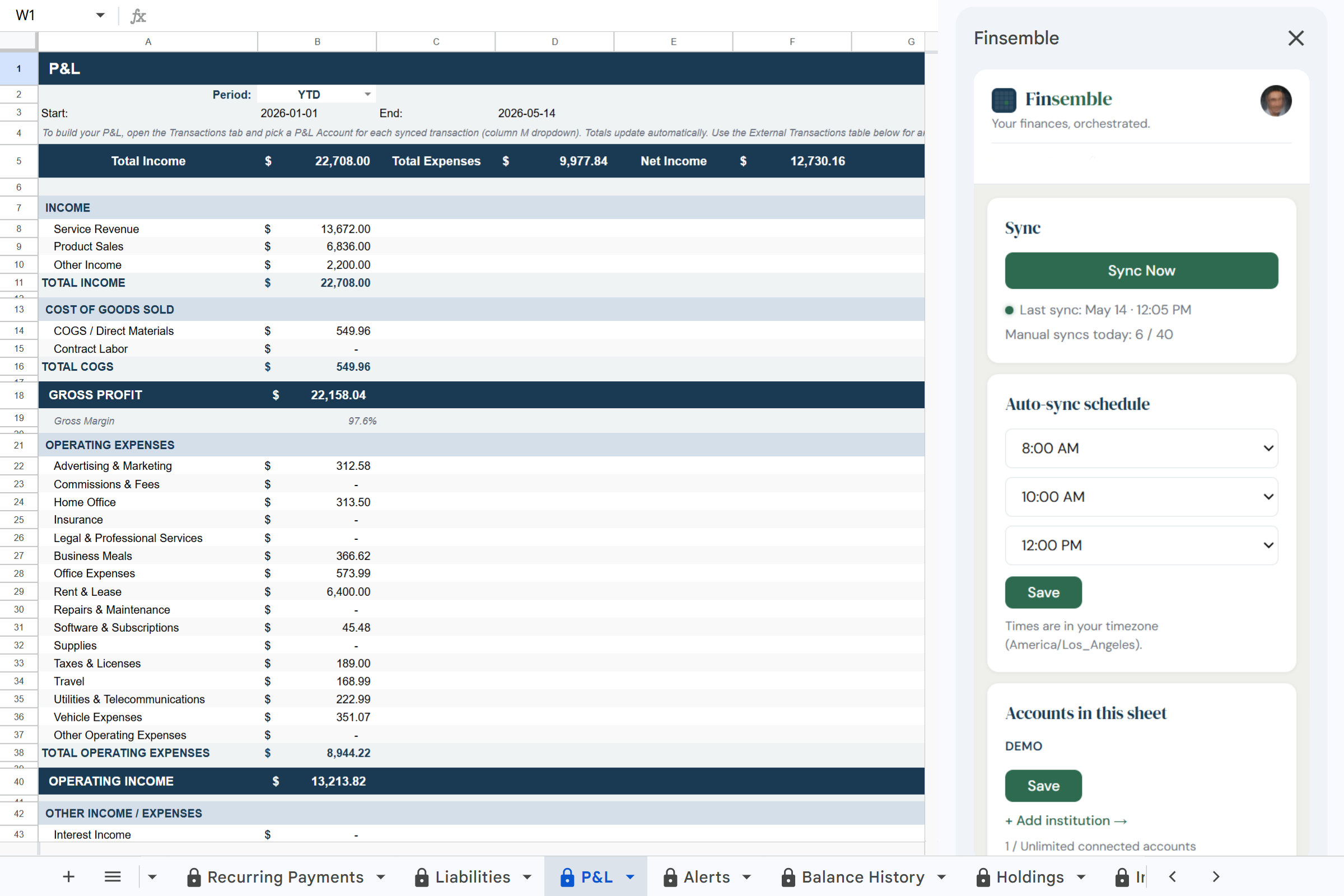
The P&L tab uses a Schedule C-aligned chart of accounts: 16 deductible expense categories (Advertising & Marketing, Commissions & Fees, Home Office, Insurance, Legal & Professional Services, Business Meals, Office Expenses, Rent & Lease, Repairs & Maintenance, Software & Subscriptions, Supplies, Taxes & Licenses, Travel, Utilities & Telecommunications, Vehicle Expenses, and Other Operating Expenses), plus separate tracking for income (Service Revenue, Product Sales, Other Income), COGS (Direct Materials, Contract Labor), and Interest Income/Expense.
Are transactions categorized for Schedule C automatically?
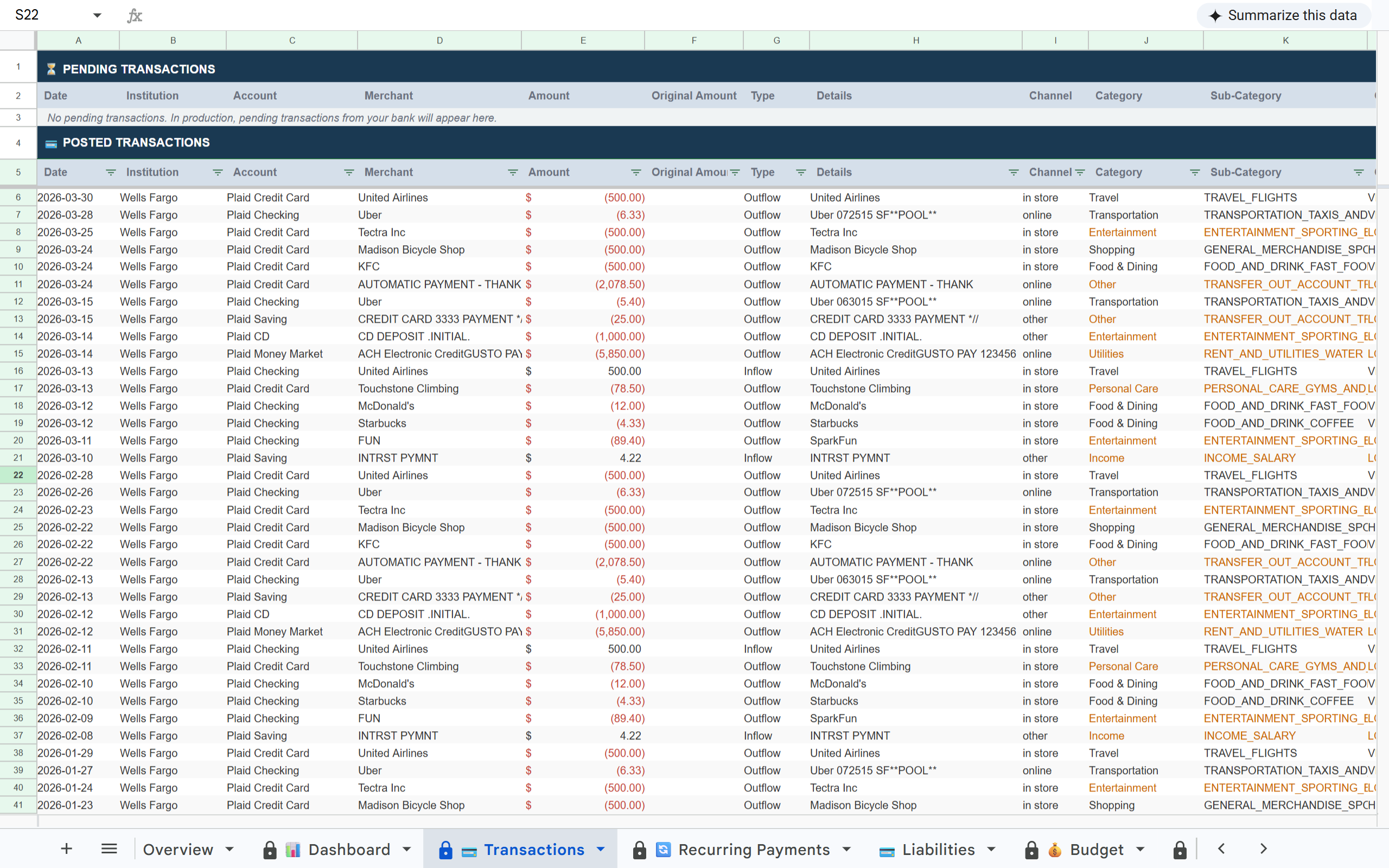
Imported transactions receive an automatic Category and Subcategory in the Transactions tab using the same general budget categories the rest of Finsemble uses. Square transactions are imported alongside bank transactions and receive the same automatic Category and Subcategory treatment. The mapping to Schedule C-aligned P&L lines is done by you in the P&L tab, so you have full control over how each transaction is classified for tax purposes.
Can I share this with my accountant?
Yes. Your Finsemble sheet is a Google Sheet, share it with your accountant via Google Drive. They see the same live numbers without needing a separate account.
What does the live version cost?
Plans start at $4/month, with Pro at $19/month. Every plan includes an 11-day full Pro trial with no credit card required.